
Soccer Legends 2026
Play next
More games
November 2, 2026 · 3 min read
Free 2 Player Browser Games to Play With a Friend (Same Keyboard or Online)
Four free games that work well with a friend: Basket Random and Soccer Random on one keyboard, Just Blow UP and Counter-Shooter Online online. Controls, modes and tips for sharing a keyboard.
Some games are better with someone next to you. The good news is that many browser games need nothing more than a keyboard and a friend: no accounts, no downloads and no controllers. This guide covers four free games from PlayKovo that work well with a friend, two for sharing one keyboard on one screen, and two for playing with friends online. It also has a few tips for sharing a keyboard without a fight.
Same screen, same keyboard
Basket Random
sports

Jump, block, and score in fast one-button basketball matches packed with funny ragdoll physics.
Play nowSoccer Random
football
A funny physics-based soccer game with ragdoll characters, one-button controls, and unpredictable rounds that shift after every goal.
Play nowBasket Random
Basket Random is a quick, chaotic basketball duel. You time your jump to reach the ball, block your opponent and score before they reach the winning total. The court, the players and the physics change between rounds, and the ragdoll movement makes rebounds unpredictable.
- Controls: one key per player. Player 1 uses W, Player 2 uses the Up Arrow. The same key jumps, blocks and shoots.
- Modes: play against the computer or challenge a friend on the same keyboard.
- Why it works for two: a match takes a short time to learn. Nobody needs a tutorial, so a first-time player can compete right away.
Soccer Random
Soccer Random brings the same idea to football. Players move with ragdoll-style physics, so a perfect-looking shot can miss and a clumsy jump can turn into a goal. Between goals the field, weather, ball physics and even the players can change.
- Controls: Player 1 uses W, Player 2 uses the Up Arrow. One key jumps, kicks and defends.
- Modes: solo against the CPU, or local 2 player on the same keyboard.
- Why it works for two: because the physics are silly, a beginner can beat an expert, which keeps both players in a good mood.
Online with friends
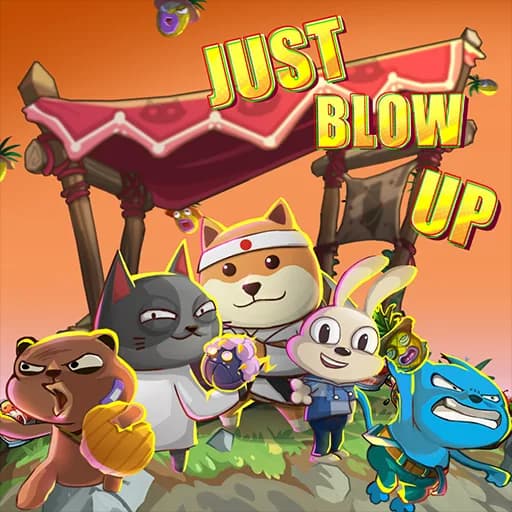

Just Blow UP
action
Just Blow UP is a cute and chaotic multiplayer artillery game where players control animal characters, adjust their aim, and launch explosive weapons across destructible terrain. Battle players from around the world and be the last team standing!
Play nowCounter-Shooter Online
shooting
Team FPS with private servers, bot fill-in, and a wide weapon selection.
Play nowJust Blow UP
Just Blow UP is a 2D multiplayer artillery game with cute animal characters. You adjust the angle and power of your shot, take wind and gravity into account, and launch strange weapons at the opposing team. You can use several items in one turn, and the terrain is destructible.
- Controls: on desktop, use the mouse for the on-screen buttons and the wheel to zoom; A and D move your character, Space jumps. On touch screens, tap the on-screen controls and drag the aim and power controls before tapping Fire.
- Why it works for friends: the game is team based, so you can plan combos together.
Counter-Shooter Online
Counter-Shooter Online is a team-based shooter with three maps. You can join a public lobby or set up a private server and invite friends, and you can fill empty slots with bots.
- Controls: WASD to move, mouse to aim and fire.
- Note: it is listed for desktop, so each player needs a computer.
Tips for sharing a keyboard
- Sit far enough apart. Games that use W and the Up Arrow are easy to play with each hand on opposite sides of the keyboard, but not if your elbows touch.
- Click the game first. If the keys do nothing, click once inside the game so the browser sends keyboard input to it.
- Use a laptop on a table, not on knees. Spilled snacks and shaking screens end matches early.
- Play first to five. Short sets keep the game fun and let you switch sides.
- Let the newer player pick the mode. Everyone enjoys the game more when they do not feel dragged into it.
Playing online with a friend
- Use a stable connection. If the game lags, close other tabs and apps first; our guide to fixing lag in browser games has more steps.
- Use headphones if you play together in a room, so the sound does not get mixed up.
- If a game uses a private server, send the invite before you start, not during the match.
More games to try
The 2 Player category has more games for two on one screen. For online team play try the Shooting category, and the whole game list is free to play with no download and no sign-up.
Related guides
2-player
One Keyboard, Two Players: Local Co-Op Games for a Single Browser Tab
No controllers to dig out, no Discord call to set up — just split the keyboard and go. Here's what's actually worth playing together.
shootingBest Free Sniper Games Online: One-Shot Missions, Duels and Hunting
Pixel-art sniper missions, 1v1 duels, voxel deer hunting and desktop sniper FPS games, with aiming and setup tips for precision shooting in the browser.
shootingBest Free Zombie Games Online: Defense, Shooters and Survival
Defend an orphanage, hold a signal point, craft and survive, drive an armoured car or play an infection mode: free zombie games in your browser, sorted by what you do.