Go Kart Racing Game
Play next
November 1, 2026 · 4 min read
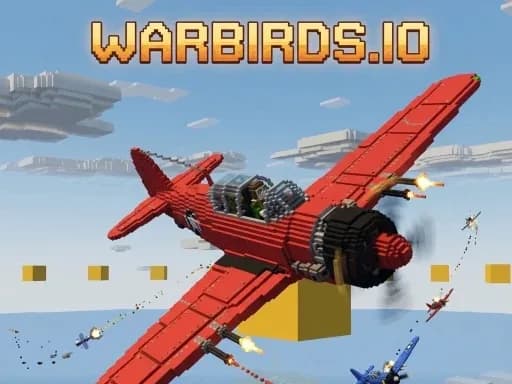
Warbirds.io is a free voxel dogfighter with planes, tanks and warships fighting over one golden ring. Learn the controls and tips for your first matches.
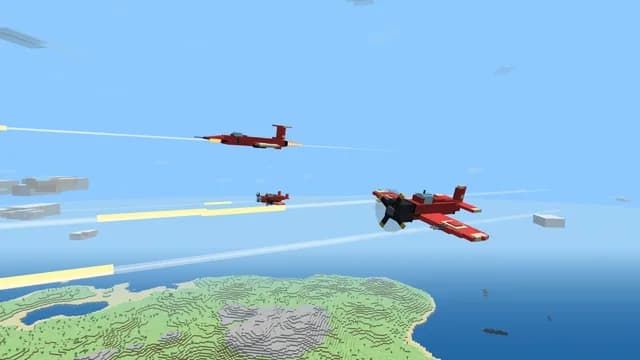
Warbirds.io is a free browser multiplayer dogfighter set in a Minecraft-inspired voxel world. Two teams fight over one golden ring, using planes, tanks and warships. Every vehicle class has its own controls and weapons, so there is a lot to learn, and this guide helps you get started. It covers how a match works, what each vehicle does, the full controls for aircraft, tanks and warships, mobile controls and tips for your first games. It runs in your browser with no download, so you can start right away at PlayKovo.
Warbirds.io mixes air, land and sea combat in one voxel world. You pick a side and fight for control of a single golden ring. Because both teams fight over the same objective, the action stays in one area instead of spreading across the whole map. You can play alone or with friends, and you do not need to create an account or install anything.
You choose a team and a vehicle: aircraft, tank or warship. Then you fight to capture and hold the golden ring. Each vehicle class does a different job:
Because each class has its own controls and weapons, it helps to learn one vehicle at a time.
| Action | Key |
|---|---|
| Pitch up / down | W or Up / S or Down |
| Roll left / right | A or Left / D or Right |
| Rudder left / right | Q / E |
| Throttle up / down | Shift or Z / Ctrl or X |
| Fire guns | Space |
| Drop bomb, torpedo or rockets | B |
| Aim with mouse (toggle) | V |
| Autopilot | P |
| Auto-trim | T |
| Spot target | G |
| Invert pitch | I |
| Bail out | F |
| Heat-seeker (jets era) | R |
| Flares (jets era) | L |
If pitch feels backwards to you, press I to invert it. Many players who are used to flight games prefer inverted pitch, while others find the default more natural, so try both.
Hold Tab for the scoreboard, press Enter to chat, hold H for the comms wheel, press M to mute and O to open Settings. Controls are fully rebindable in Settings, and gamepads and HOTAS are supported. If you own a gamepad or a flight stick, connecting it is a good way to fly more smoothly.
On a phone or tablet, the left thumbstick steers, the left slider controls throttle, and the FIRE button shoots. Drag on the right side of the screen to look around. On-screen chips handle crew actions. Take a minute in your first match to find each control before you commit to a fight.
If you want plane, tank and ship combat in one browser game, play Warbirds.io on PlayKovo. For more shooters and io games, browse the full games list.
Related guides
Paintballz.io is an online paintball shooter where one hit tags. Learn the modes, maps, controls, kill-streak rewards and tips to win more rounds.
GuideGo Kart Racing Game is an arcade kart racer with tight tracks and close pack racing. Learn the controls and tips for cleaner laps and more wins.
GuideOrientation, fullscreen, home screen shortcuts, sound problems, saving, battery, data use and common touch issues, plus which game types suit a phone.
We use optional cookies for site analytics and site advertising. You can change your choice later. Privacy policy.