


Motorcar Volleyball
Siradaki oyun
17 Ağustos 2026 · 6 min read
No controllers to dig out, no Discord call to set up — just split the keyboard and go. Here's what's actually worth playing together.
Two people, one keyboard, one screen — it's one of the oldest tricks in gaming, and browser games make it easier than ever. No console to dig out, no second controller to find, no private lobby to set up. Open a link, agree on who takes WASD and who takes the arrow keys, and you're playing.
The best local 2-player games keep control schemes completely separate — one player should never accidentally trigger the other's move. They also keep matches short: a minute or two per round, so you can trade wins, talk trash, and go again instead of sitting through a long match neither of you can walk away from.
Grab a friend and start here
Escape School Duel
Dodge traps and outrun teachers to break out of school before your rival does.
Oyna →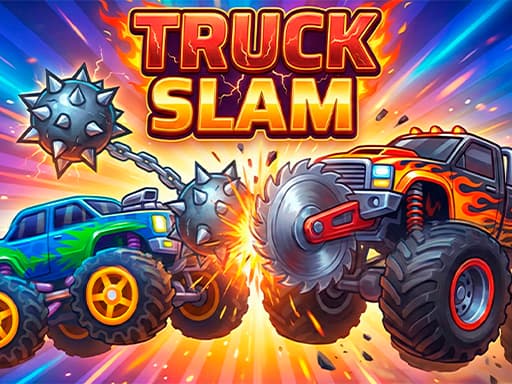
Truck Slam
Ram, slam, and knock rival trucks off the platform in physics-based arena battles.
Oyna →Flippee Ball
Flip pinball paddles to launch the ball into the basket before your opponent does.
Oyna →Soccer Legends 2026
Play fast arcade soccer solo or 1v1 and 2v2 against a friend, with special players and supershots to outplay your rival.
Oyna →No. Every game here is built for two players sharing one keyboard on one screen — that's the whole appeal. A controller can work if the game supports it, but nothing above requires extra hardware, a second device, or setup beyond opening the page.
Still have a friend on the couch after this list? The arcade category has plenty more fast, chaotic titles that also support two players on one keyboard.
Alakalı rehberler
No lobby to join, no app to install — just checkpoints, traps, and the next attempt. Here's what's actually worth your patience.
shootingModern browser shooters hit 60 FPS with real multiplayer and tight aim mechanics. Here's what's worth loading — and how to actually get better at them.
racing3D circuits, rally stages, drift maps, formula racers — browser racing stopped being one-note a while ago. Here's where to start.
We use cookies for basic site analytics. Read our Privacy policy for details.