



Monkeydoku
 Cube Twist
Siradaki oyun
Monkeydoku
Sea of Words
Words Crosswords
Trivia Quiz
Arrow Free 3D
Arrows: Make It Cozy!
Car Parking Order
Help Me: Tricky Story of Puzzles
Brain Master IQ Challenge 2
Flows

State Clash – Conquer the Map

Sandy Balls
Goods Sort: Home Build
Dedoku: Detective Sudoku
Crazy Puzzle
Super Line Go: Escape
Mahjong: Match Three
DOP Fun: Delete One Part
Oyun bilgileri
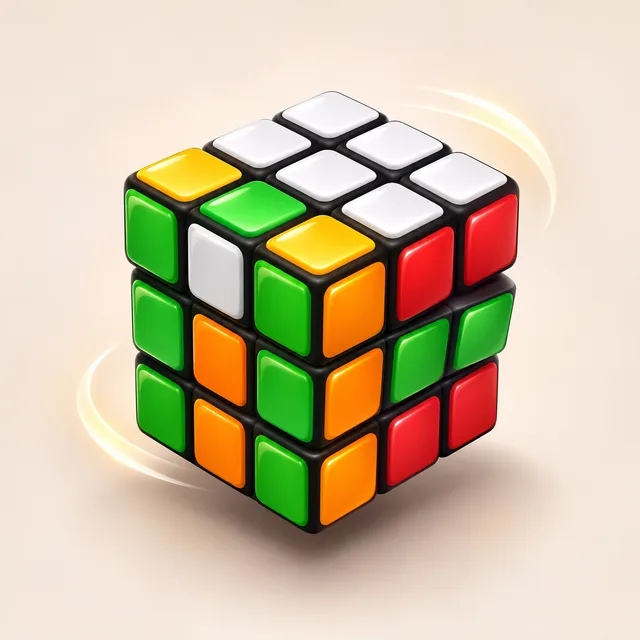
Twist the 3D cube until every side is one color. Play endless levels or free play, then style your cube with colors and patterns.
Geliştirici: PlayKovo
Cube Twist is a clean, relaxing 3D cube puzzle. Every cube starts scrambled, and your goal is simple: turn the rows and columns until each side of the cube is one solid color again. Swipe a sticker to turn a layer, drag the background to look around the cube from any angle, and pinch to zoom in close. Every turn is smooth and animated, and the cube sits on a calm, matte table with a soft real shadow, so you can focus on the puzzle. Play the endless Levels mode, where each new cube is a little harder than the last, starting with a single twist and growing into a real brain teaser. Your level is saved, so you can always continue where you left off. Prefer to choose your own challenge? Free Play lets you pick Easy, Medium or Hard and gives you a fresh random cube every time. Stuck? Tap Hint and the cube makes one move toward the solution, or tap Undo to take back your last move. Solve cubes quickly to earn more coins. Spend your coins in the Style shop. Unlock new color sets, patterns such as dots, stripes, checker, stars, hearts, waves, marble and flowers, and different cube bodies like white, wood, gold and lava. The shop shows a live 3D preview, so you can try any style on the real cube before you buy it. Some styles can also be unlocked for free by watching an optional rewarded video, and you can watch a video for free bonus coins and extra hints. Cube Twist is easy to learn, satisfying to finish and perfect for short breaks as well as long sessions. It works on phone, tablet and desktop, in portrait or landscape.
Every cube starts scrambled. Turn the layers until each side of the cube is a single solid color. Levels: an endless series of cubes that get harder as you go. Your progress is saved. Free Play: pick Easy, Medium or Hard for a fresh random cube every time. Stuck? Tap Hint to make one move toward the solution, or Undo to take back your last move. Earn coins for every solved cube and spend them in the Style shop on new colors, patterns and cube bodies. You can preview any style on the cube before you buy it.
Mobile: - Swipe a sticker to turn that row or column - Drag the empty background to rotate the cube - Pinch with two fingers to zoom Desktop: - Click and drag a sticker to turn that layer - Click and drag the background to rotate the cube - Mouse wheel or the + / - buttons to zoom
Bunlar da hoşuna gidebilir
Bunu beğendiysen Monkeydoku ve Sea of Words de hoşuna gidecektir.
Evet. Cube Twist oyun sayfasını PlayKovo'da ücretsiz açabilirsin.
Hayır. Cube Twist tarayıcı içinde açılır; PlayKovo oyun sayfası için kurulum dosyası indirmen gerekmez.
Cube Twist hem masaüstü hem mobil cihaz desteğiyle listelenmiştir. Kullanacağın kontrolleri bu sayfadaki kontroller bölümünden kontrol et.
Every cube starts scrambled. Turn the layers until each side of the cube is a single solid color. Levels: an endless series of cubes that get harder as you go. Your progress is saved. Free Play: pick Easy, Medium or Hard for a fresh random cube every time. Stuck? Tap Hint to make one move toward the solution, or Undo to take back your last move. Earn coins for every solved cube and spend them in the Style shop on new colors, patterns and cube bodies. You can preview any style on the cube before you buy it.
Mobile: - Swipe a sticker to turn that row or column - Drag the empty background to rotate the cube - Pinch with two fingers to zoom Desktop: - Click and drag a sticker to turn that layer - Click and drag the background to rotate the cube - Mouse wheel or the + / - buttons to zoom
Keşfetmeye devam et
Site analizi ve site reklamları için isteğe bağlı çerezler kullanıyoruz. Tercihini daha sonra değiştirebilirsin. Gizlilik politikası.