Digger
 Maze Escape 1995
Siradaki oyun
Oyun bilgileri
Race the clock through a retro 3D maze! Follow your trail, grab floppy disks, dodge bugs and find the EXIT in this 1995-style game. Play on any device!
Geliştirici: PlayKovo
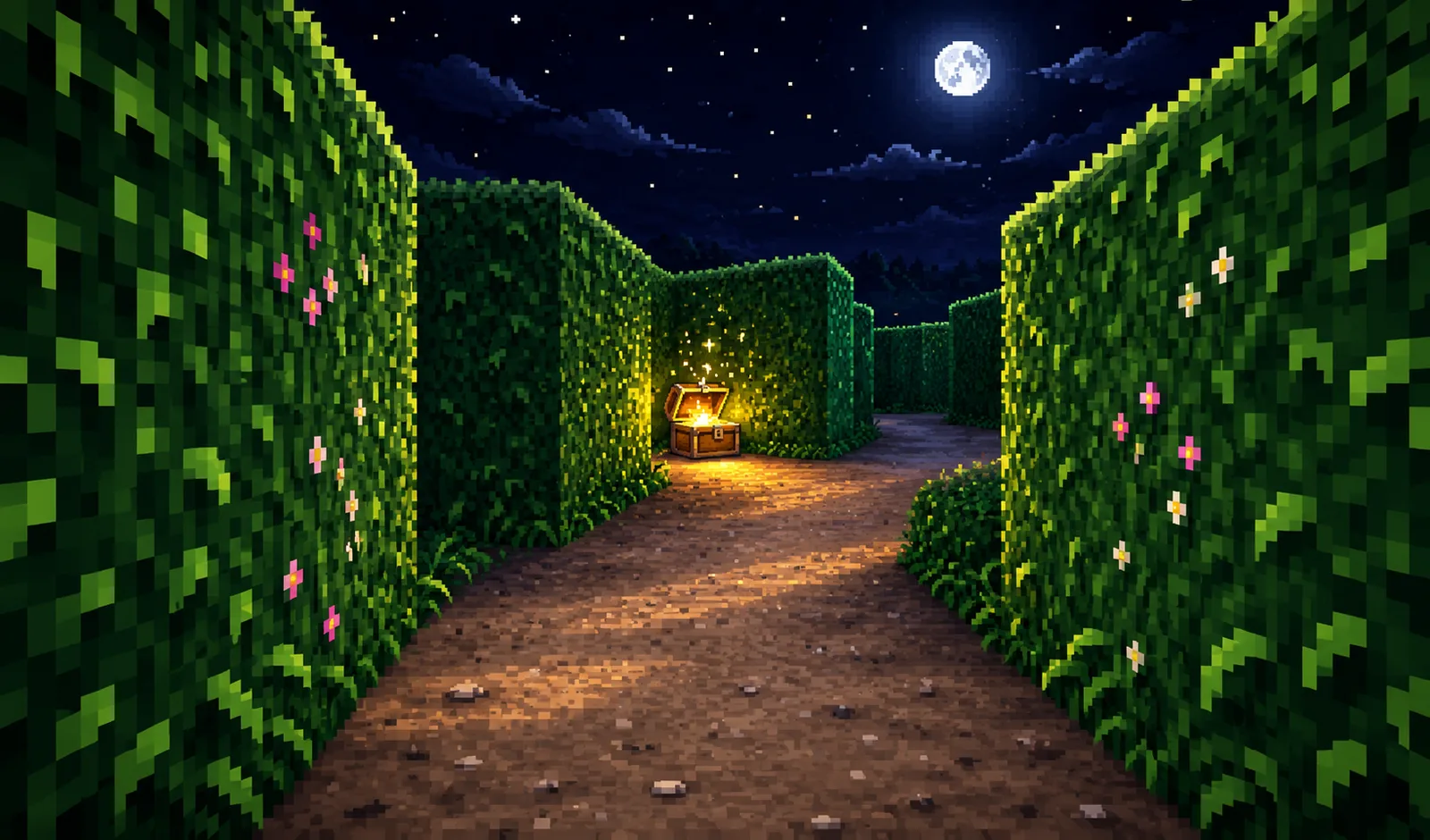
Maze Escape 1995 takes you back to the golden age of PC gaming, when a floppy disk held a whole game and every menu was gray with a navy title bar. You wake up inside a first-person maze built with a real old-school raycasting engine. Everything has the chunky low-resolution pixel look of a 1995 desktop game. The walls fade into the dark and the menus look like Windows 95 windows, with a taskbar and a little clock. The music and sound effects are synthesized in the style of an old FM sound card, so nothing feels modern except how smooth it plays. Your goal on every level is simple: find the glowing green EXIT door before the clock runs out. Every maze is generated from a seed, so each level has a fresh layout. Every maze is guaranteed to be solvable, and the mazes get bigger and trickier as you go. From level 3 on, extra loops open up more than one route, which makes it much easier to get lost. As you walk, you leave a trail of dots on the floor. If you see your own dots again, you have been going in circles. If you are completely lost, press the MAP button and the whole maze lights up for a few seconds, with you, the exit and every item marked on it. The corridors are full of things to find: Three floppy disks per level, worth bonus gold, hidden in dead ends far from each other. Alarm clocks that add 15 seconds to your timer. A compass that puts an arrow at the top of the screen pointing at the exit, with the distance in meters. Extra maps for more uses of the MAP button. Not everything wants to help you. From level 3, purple bugs crawl through the maze and chase you when they see you. If one catches you, it eats 10 seconds of your time. From level 4, mysterious spin orbs flip the entire world upside down for a few seconds, so slow down, breathe and keep your sense of direction. Five themes rotate as you play: the red Brick Halls, the Hedge Garden under a starry sky, a gray Office 95 with carpet and sticky notes, a glowing Neon Grid and a frozen Ice Cave. When you finish a level, you earn gold from floppy disks, a time bonus for every second you had left, and a level bonus. Then spend it in the Upgrades window: Running Shoes make you walk faster, Extra Time gives you a longer clock on every level, and Map Charges give you more map uses per level. Maze Escape 1995 works on desktop and mobile. On a computer you play with the keyboard and mouse. On a phone the game switches to touch controls automatically, in both portrait and landscape.
Press START LEVEL to begin. A short 1995-style startup screen plays the first time you open the game. You can tap or click it to skip. You start in the top-left corner of the maze. Walk through the corridors and find the glowing green EXIT door, then touch it to finish the level. The exit is always far from where you start. Watch the clock in the bottom right of the screen. When it hits zero the run is over. At that moment you get 5 seconds to choose whether to watch a video for 30 extra seconds. You can do this once per level. The yellow dots on the floor are your own trail. If you see them again, you have been here before, so try a different turn. Collect the 3 floppy disks for +10 gold each. Pick up alarm clocks for +15 seconds on the timer. Pick up a compass to get an arrow at the top of the screen. It points toward the exit for 18 seconds and shows the distance in meters. Press MAP to see the whole maze for 5 seconds. You start each level with one map. Map items you find give you extra uses. When you are out of maps, the MAP button shows an AD tag, and a video gives you one more look at the maze. Avoid the purple bugs. They crawl along the corridors and chase you when they see you. A hit costs 10 seconds and you are safe for a moment afterward. A purple spin orb flips the world upside down for a few seconds, so slow down and think about your direction before moving. When you reach the exit you earn gold from floppy disks, a time bonus (the more time left, the more gold) and a level bonus. On the results screen, tap CLAIM when the needle is on a high multiplier (x2, x3 or x5) and watch a video to multiply your gold. Spend your gold in UPGRADES on the main menu: Running Shoes for speed, Extra Time for a longer clock and Map Charges for more maps per level. Upgrades are permanent. Use the free gold button on the main menu every few minutes for a quick +50 gold.
Desktop W / S or Up / Down arrow: walk forward / backward A / D: sidestep left / right Left / Right arrow or Q / E: turn with the keyboard Mouse: look around (click the game once to lock the mouse, press Esc to release it) M or Space: show the map Esc or P: pause and options Mobile (portrait and landscape) Left joystick: touch and drag on the left side to walk (push up or down) and turn (push left or right). In portrait mode it sits in the control deck under the game screen Drag on the right side of the screen: look around MAP button: show the map II button at the top right: pause and options In Options you can switch sound effects, music, vibration and CRT scanlines on or off
Bunlar da hoşuna gidebilir
Bunu beğendiysen Digger ve Retro Sniper de hoşuna gidecektir.
Evet. Maze Escape 1995 oyun sayfasını PlayKovo'da ücretsiz açabilirsin.
Hayır. Maze Escape 1995 tarayıcı içinde açılır; PlayKovo oyun sayfası için kurulum dosyası indirmen gerekmez.
Maze Escape 1995 hem masaüstü hem mobil cihaz desteğiyle listelenmiştir. Kullanacağın kontrolleri bu sayfadaki kontroller bölümünden kontrol et.
Press START LEVEL to begin. A short 1995-style startup screen plays the first time you open the game. You can tap or click it to skip. You start in the top-left corner of the maze. Walk through the corridors and find the glowing green EXIT door, then touch it to finish the level. The exit is always far from where you start. Watch the clock in the bottom right of the screen. When it hits zero the run is over. At that moment you get 5 seconds to choose whether to watch a video for 30 extra seconds. You can do this once per level. The yellow dots on the floor are your own trail. If you see them again, you have been here before, so try a different turn. Collect the 3 floppy disks for +10 gold each. Pick up alarm clocks for +15 seconds on the timer. Pick up a compass to get an arrow at the top of the screen. It points toward the exit for 18 seconds and shows the distance in meters. Press MAP to see the whole maze for 5 seconds. You start each level with one map. Map items you find give you extra uses. When you are out of maps, the MAP button shows an AD tag, and a video gives you one more look at the maze. Avoid the purple bugs. They crawl along the corridors and chase you when they see you. A hit costs 10 seconds and you are safe for a moment afterward. A purple spin orb flips the world upside down for a few seconds, so slow down and think about your direction before moving. When you reach the exit you earn gold from floppy disks, a time bonus (the more time left, the more gold) and a level bonus. On the results screen, tap CLAIM when the needle is on a high multiplier (x2, x3 or x5) and watch a video to multiply your gold. Spend your gold in UPGRADES on the main menu: Running Shoes for speed, Extra Time for a longer clock and Map Charges for more maps per level. Upgrades are permanent. Use the free gold button on the main menu every few minutes for a quick +50 gold.
Desktop W / S or Up / Down arrow: walk forward / backward A / D: sidestep left / right Left / Right arrow or Q / E: turn with the keyboard Mouse: look around (click the game once to lock the mouse, press Esc to release it) M or Space: show the map Esc or P: pause and options Mobile (portrait and landscape) Left joystick: touch and drag on the left side to walk (push up or down) and turn (push left or right). In portrait mode it sits in the control deck under the game screen Drag on the right side of the screen: look around MAP button: show the map II button at the top right: pause and options In Options you can switch sound effects, music, vibration and CRT scanlines on or off
Rehber
Choose a letter puzzle or a sliding number board, with practical first-session advice for two PlayKovo games that reward thinking ahead.
Not every puzzle genre trains the same skill. Here's what each type does, plus the games worth adding to a daily mental warmup.
Keşfetmeye devam et
Site analizi ve site reklamları için isteğe bağlı çerezler kullanıyoruz. Tercihini daha sonra değiştirebilirsin. Gizlilik politikası.