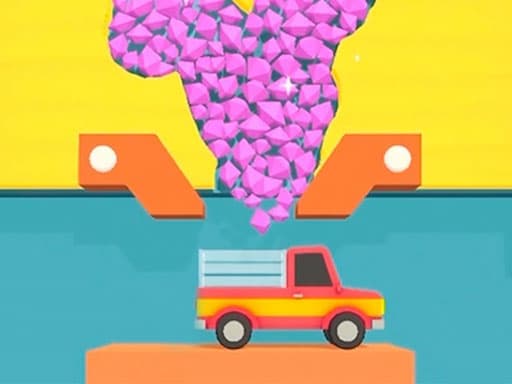
Sandy Balls
 Popcorn Stack
Play next
Sandy Balls
Pizza Maker - Cooking Games For Kids
Save the Kitten: Games for Kids & Girls
My Happy Hospital
Smash Everything to Pieces!
Alien Evolution: Hyper Cell
ASMR Makeup: Spa Salon Wednesday
Match Arena
Mansion Tale: Merge Secrets
Idle Mining Empire
Obby: Gym Simulator, Escape
Rainbow Friends Return
Star Crossword
Plants Vs Zombie Hybrid Story Mod
Obby: Mini-Games
Shape Shifting Race
Obby: Escape from Barry Prison
Sky Ball Racing
Game details
Stack popcorn boxes, fill them with tasty toppings, and decorate them in this fun, satisfying stacking game.
Developer: GameMonetize
Popcorn Stack is a fun, satisfying stacking game about building the perfect popcorn box. Collect boxes as they roll by, fill them with grain, sprinkle on chocolate and other toppings, then pack and cover them. Each box is a new little challenge — line it up, fill it right, and finish it off with a fancy decoration on top. The simple, colorful gameplay makes it easy to pick up and hard to put down. It's a relaxing, one-tap stacking game perfect for a quick break. Play free in your browser on desktop or mobile, no download needed.
Your goal is to stack and fill as many popcorn boxes as you can. Tap or click at the right moment to collect boxes and toppings as they move. Fill each box with grain and your choice of toppings, then pack, cover, and decorate it to complete it.
Mouse click or tap to play.
You might also like
Liked this one? You'll probably enjoy Sandy Balls and Pizza Maker - Cooking Games For Kids too.
Yes. You can open the Popcorn Stack game page on PlayKovo for free.
No. Popcorn Stack opens in the browser, so the PlayKovo game page does not require an installer.
Popcorn Stack is listed with both desktop and mobile support. Check the controls section on this page for the inputs available on your device.
Your goal is to stack and fill as many popcorn boxes as you can. Tap or click at the right moment to collect boxes and toppings as they move. Fill each box with grain and your choice of toppings, then pack, cover, and decorate it to complete it.
Mouse click or tap to play.
Guide
No tutorial to sit through, no run to lose progress on — just open a tab and play. Here's what actually holds up past the first five minutes.
A starting shortlist and a practical review of controls, content, communication and purchase prompts before a child plays.
Keep exploring
We use optional cookies for site analytics and site advertising. You can change your choice later. Privacy policy.