

Hexa Go
 Cube Slide Merge
Play next
Hexa Go

Class Seat Jam

Hexa Stack 3D

Arrow Blocks: Tap Away Block

Arrow Escape: Tap Away Arrows Puzzle

Donut Sort: Color Stacking Puzzle
Screw Pop

Arrow Escape
Sandy Balls

Pet Merge
Water Sort: Challenging Bottles
Jigsaw Drop: Puzzle Solitaire
Thief. Crack the Safe
Hoby Tales

Water Sort Puzzle

13 Steps to Escape
Cream 2048
Vials: ASMR Sand Sort Puzzle
Game details
Swipe to slide every cube at once and merge matching numbers into one. Easy to learn, tricky to solve.
Developer: PLAYKOVO
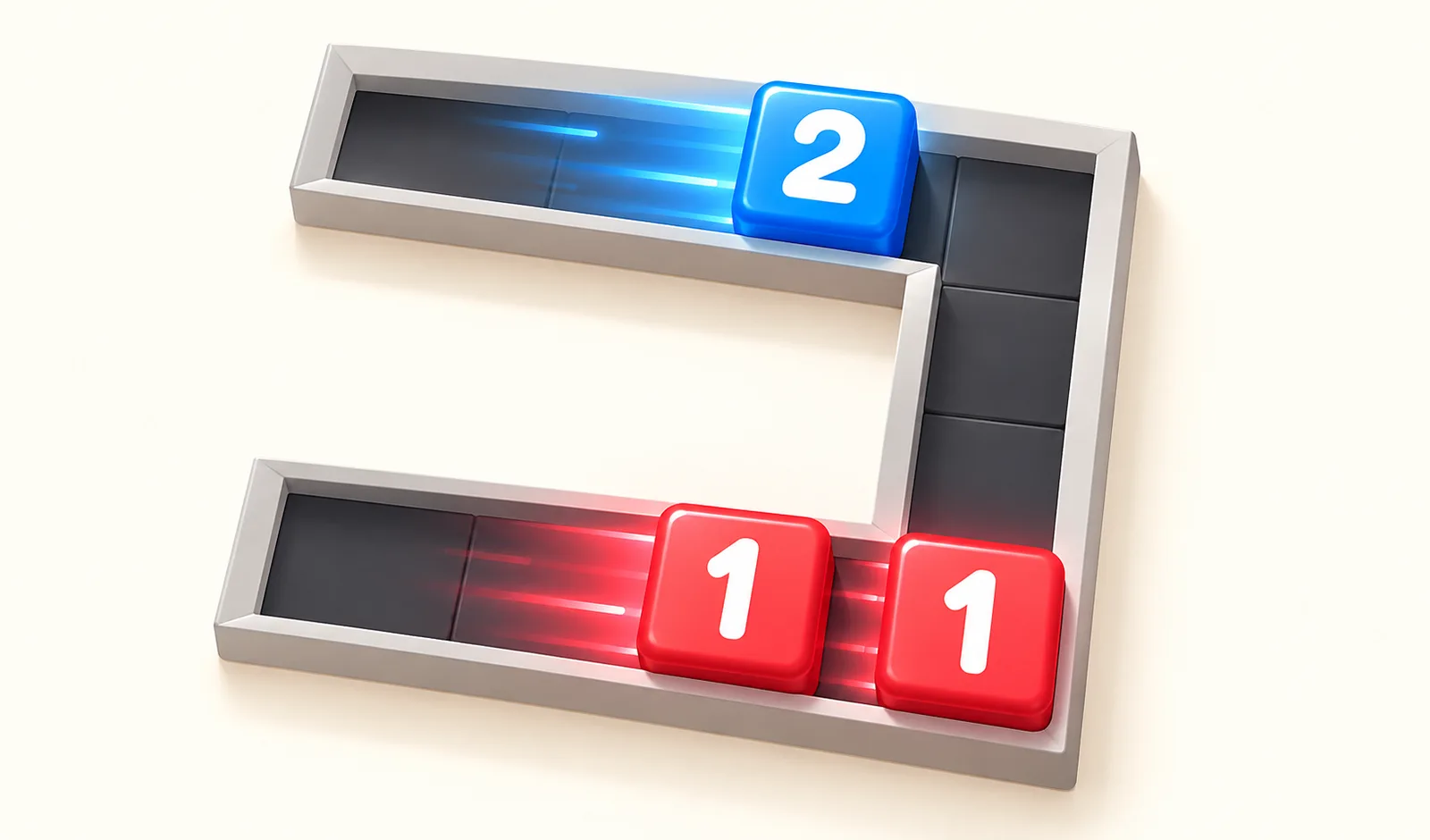
Cube Slide Merge is a number puzzle where every move counts. Swipe in any direction and all the cubes on the board slide together until they hit a wall or another cube. When two cubes with the same number meet, they merge into a single cube with the next number up. Clear the board down to one cube to finish the level. The boards are never the same. Some are plain rectangles, others are shaped like letters, staircases or boards with holes, so a slide that works in one corner can wreck your plan in another. You cannot move a single cube on its own, which means you have to plan how the whole group will travel before you swipe. Every level is generated so that it can be solved, and the levels keep going with bigger boards and more cubes as you progress. Finishing a level in few moves earns up to three stars and more coins. Stuck? Undo your last move as often as you like, or use a hint to see the next swipe. Spend your coins in the shop on new cube color sets and board themes to change how the game looks.
Swipe in any direction to slide all the cubes at the same time. Cubes keep sliding until they hit a wall or another cube. When two cubes with the same number touch, they merge into one cube with the next number (1 + 1 becomes 2, 2 + 2 becomes 3, and so on). Keep merging until only one cube is left on the board to complete the level. If no cubes can merge anymore, undo a move or retry the level. Use the hint button if you need help with the next swipe, and finish with fewer moves to earn more stars.
Mouse / touch: swipe or drag in the direction you want the cubes to slide. Keyboard: arrow keys or W A S D to slide, Z or Backspace to undo. Use the buttons at the bottom for hint and undo.
You might also like
Liked this one? You'll probably enjoy Hexa Go and Class Seat Jam too.
Yes. You can open the Cube Slide Merge game page on PlayKovo for free.
No. Cube Slide Merge opens in the browser, so the PlayKovo game page does not require an installer.
Cube Slide Merge is listed with both desktop and mobile support. Check the controls section on this page for the inputs available on your device.
Swipe in any direction to slide all the cubes at the same time. Cubes keep sliding until they hit a wall or another cube. When two cubes with the same number touch, they merge into one cube with the next number (1 + 1 becomes 2, 2 + 2 becomes 3, and so on). Keep merging until only one cube is left on the board to complete the level. If no cubes can merge anymore, undo a move or retry the level. Use the hint button if you need help with the next swipe, and finish with fewer moves to earn more stars.
Mouse / touch: swipe or drag in the direction you want the cubes to slide. Keyboard: arrow keys or W A S D to slide, Z or Backspace to undo. Use the buttons at the bottom for hint and undo.
Guide
Choose a letter puzzle or a sliding number board, with practical first-session advice for two PlayKovo games that reward thinking ahead.
Not every puzzle genre trains the same skill. Here's what each type does, plus the games worth adding to a daily mental warmup.
Keep exploring
 Top
TopGo Kart Racing Game
Obby: Battle Arena
 Featured
Warbirds.io
 Featured
imposter Duck : Online
Sprunki World Online RP - Play with Friends!
 Featured
Underrun
 Featured
Just Blow UP
 Featured
Toy Box Challenge
Tap 3D Wood Block Away
 Featured
Crowd Rush 3D
 Featured
LOLShot.io
 Featured
Muscle Run
Color Brawls
 Featured
Wriggle.io
We use optional cookies for site analytics and site advertising. You can change your choice later. Privacy policy.