
Minesweeper Kovo
 Lines to Fill
Play next
Minesweeper Kovo
Help Me: Tricky Story of Puzzles

Sandy Balls
Brain Master IQ Challenge 2

Hero Rescue
QBlock Puzzle
Block Blast Master
Wood Blocks Jam
Super Line Go: Escape
Rings and Dot!
LongCat

Class Seat Jam

Hexa Stack 3D

Donut Sort: Color Stacking Puzzle

Arrow Escape
Fruit Match: Colorful Trees
Smash Out
Crazy Puzzle
Game details
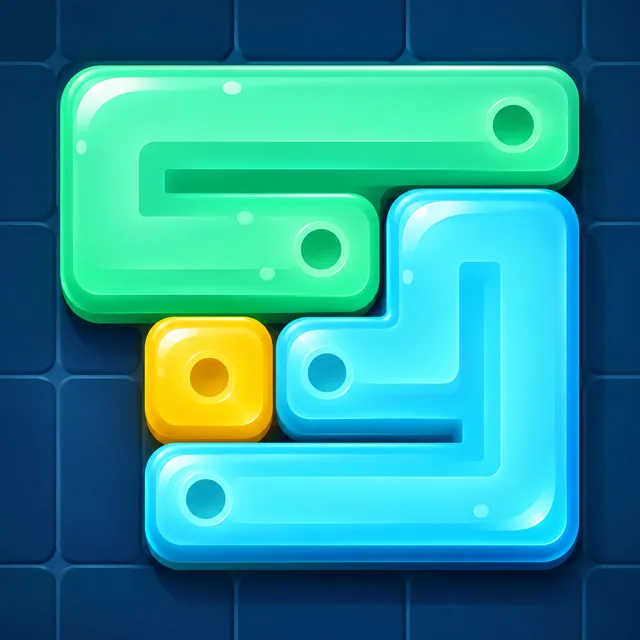
Drag each colored line across the board until every tile is filled. A calm one-finger puzzle with 250 levels.
Developer: PlayKovo
Lines to Fill is a relaxing logic puzzle about one simple idea: cover every tile. Each colored line starts from its own square. Drag it across the board, turn corners, and fill the whole shape without leaving a single tile empty. Every color must be used, and lines can’t cross each other. Features: 250 levels that grow from tiny boards to large multi-line shapes One-finger controls, easy to learn and hard to put down Undo and restart as often as you like, with no timers and no lives Clean, calm look with satisfying level transitions Your progress is saved automatically
Touch a colored square and drag to draw its line. Move into any empty neighboring tile to extend it. Fill every tile on the board using all the colors to complete the level. Drag back over your own line to shorten it, or tap Undo or Restart if you get stuck.
Touch / Mouse: press on a colored square and drag to draw Drag back along the line: shorten it Undo button (or Z / Backspace): undo your last move Restart button: clear the board Pause button: pause, restart or return to the menu
You might also like
Liked this one? You'll probably enjoy Minesweeper Kovo and Help Me: Tricky Story of Puzzles too.
Yes. You can open the Lines to Fill game page on PlayKovo for free.
No. Lines to Fill opens in the browser, so the PlayKovo game page does not require an installer.
Lines to Fill is listed with both desktop and mobile support. Check the controls section on this page for the inputs available on your device.
Touch a colored square and drag to draw its line. Move into any empty neighboring tile to extend it. Fill every tile on the board using all the colors to complete the level. Drag back over your own line to shorten it, or tap Undo or Restart if you get stuck.
Touch / Mouse: press on a colored square and drag to draw Drag back along the line: shorten it Undo button (or Z / Backspace): undo your last move Restart button: clear the board Pause button: pause, restart or return to the menu
Guide
Choose a letter puzzle or a sliding number board, with practical first-session advice for two PlayKovo games that reward thinking ahead.
Not every puzzle genre trains the same skill. Here's what each type does, plus the games worth adding to a daily mental warmup.
Keep exploring
We use optional cookies for site analytics and site advertising. You can change your choice later. Privacy policy.